
Roster Management Just Got a LOT Easier
September 8, 2026
Roster management without the manual work.
Setting up agent schedules shouldn’t feel like a full workforce management project. CyCX Manager’s Roster Management feature lets you configure which agents are allocated to which queues, on a set recurring schedule, and then leaves it to run.
Think of it like setting up a recurring meeting in your calendar. Define the pattern once, and the system takes care of the rest.
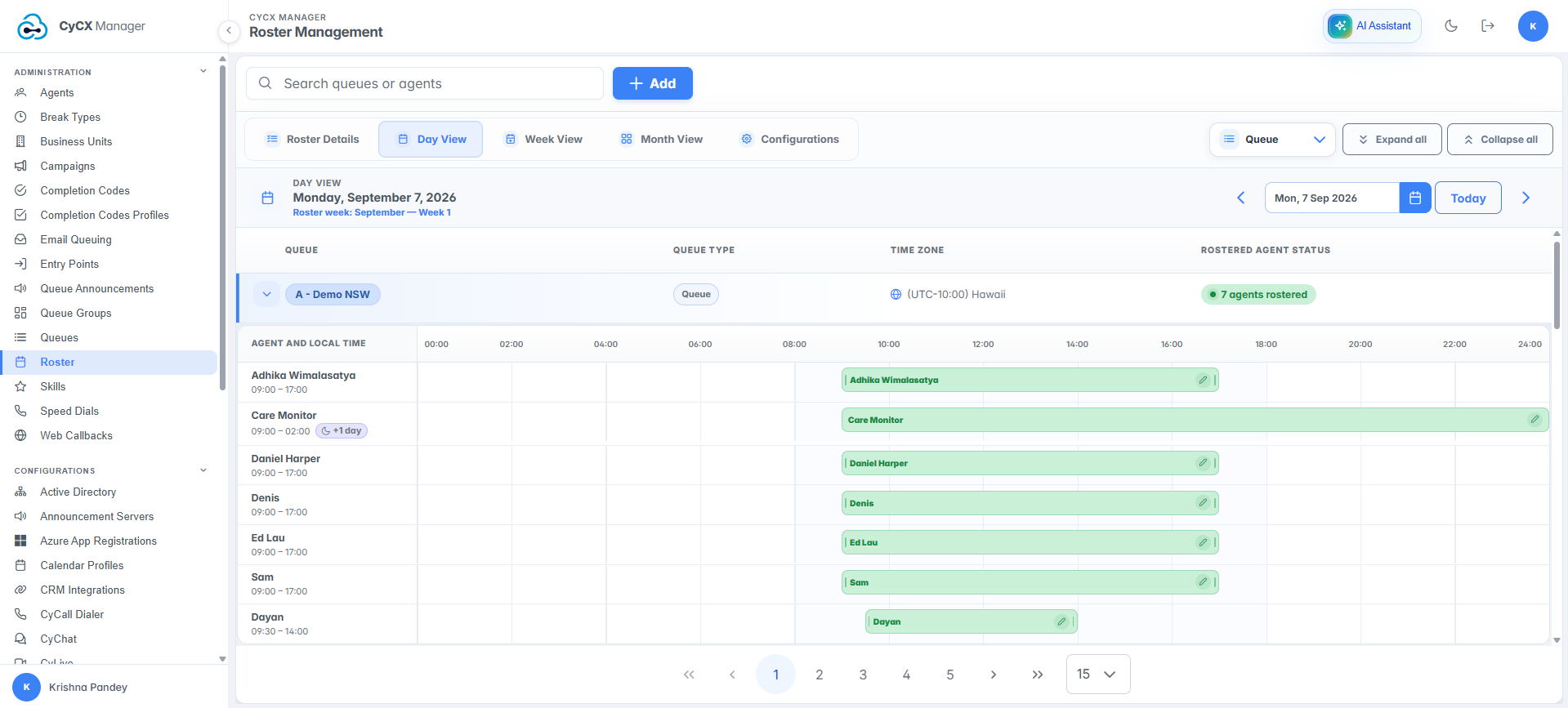
See exactly who’s rostered to each queue, hour by hour.
Day View gives you an hour-by-hour breakdown, and you can switch perspective at any time, checking coverage for a single queue or reviewing an individual agent’s full day across every queue they cover.
Zoom out to Week View for the same clarity across the full working week, again viewable either by queue or by agent. Zoom out further to Month View, and rostered coverage is visible at a glance, so gaps and overlaps are easy to spot well ahead of time.
Once schedules are set, Roster Details brings everything together in one place. Effective dates, patterns, roster owners, and status are listed clearly, organised by queue or agent, so changes are easy to make and track.
Rostering isn’t just a one-way street, either. Agents can request changes to their own shifts directly, whether that’s a day away, a shift they can’t make, or a change to their hours, and the request goes straight to their supervisor for approval.
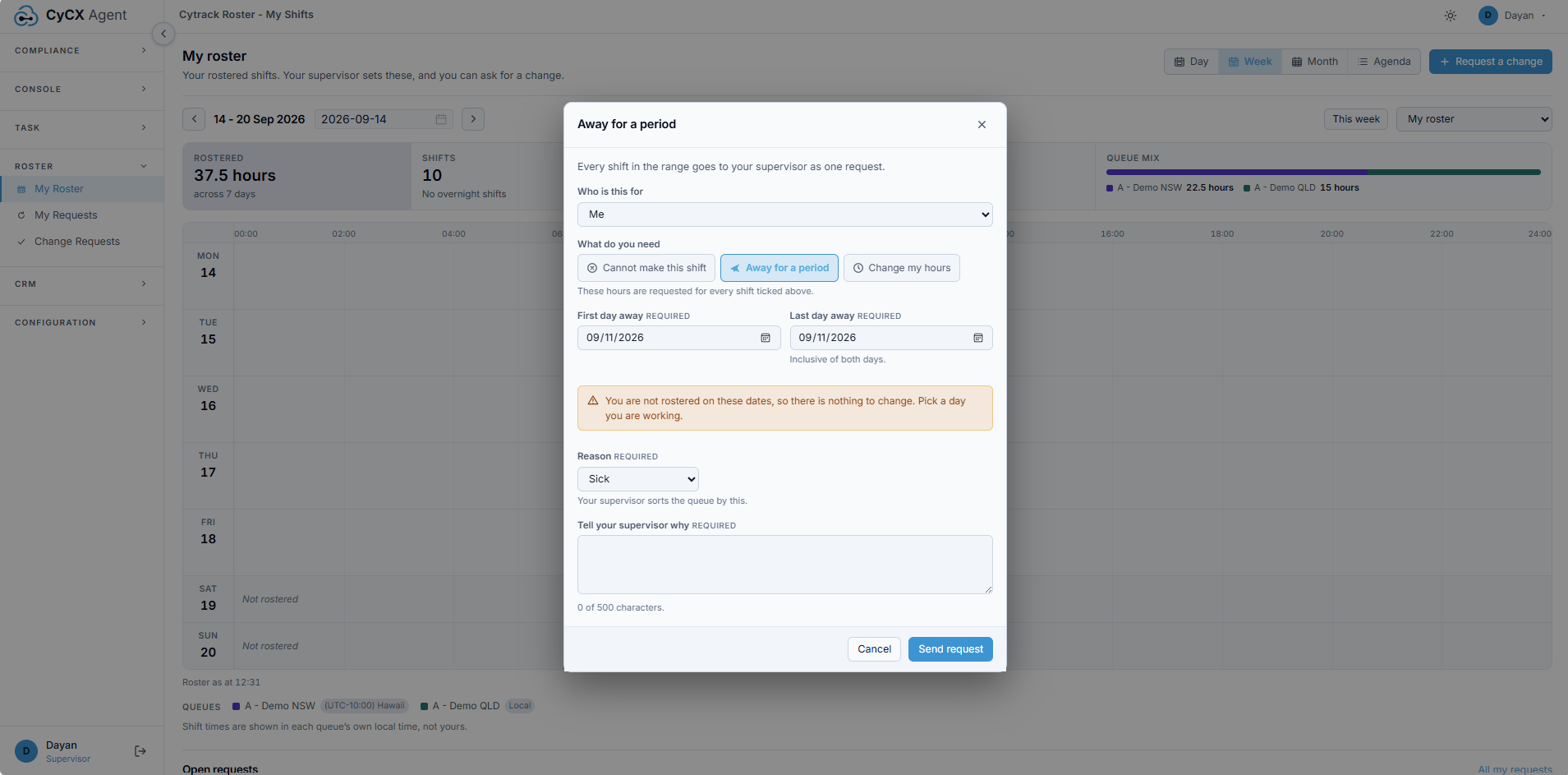
Agents can request time away or a shift change, with a reason attached, in a few clicks.
Roster Management is fully automated once configured. No manual re-entry, no daily adjustments, no chasing coverage gaps. Set the pattern, and let CyCX handle the schedule.